What To Check Before A Calm Home Office Corner With Useful Objects
A practical step-by-step guide to what to check before a calm home-office corner with useful objects, including preparation, instructions, common issues, tips, and next steps.
What To Check Before A Calm Home Office Corner With Useful Objects
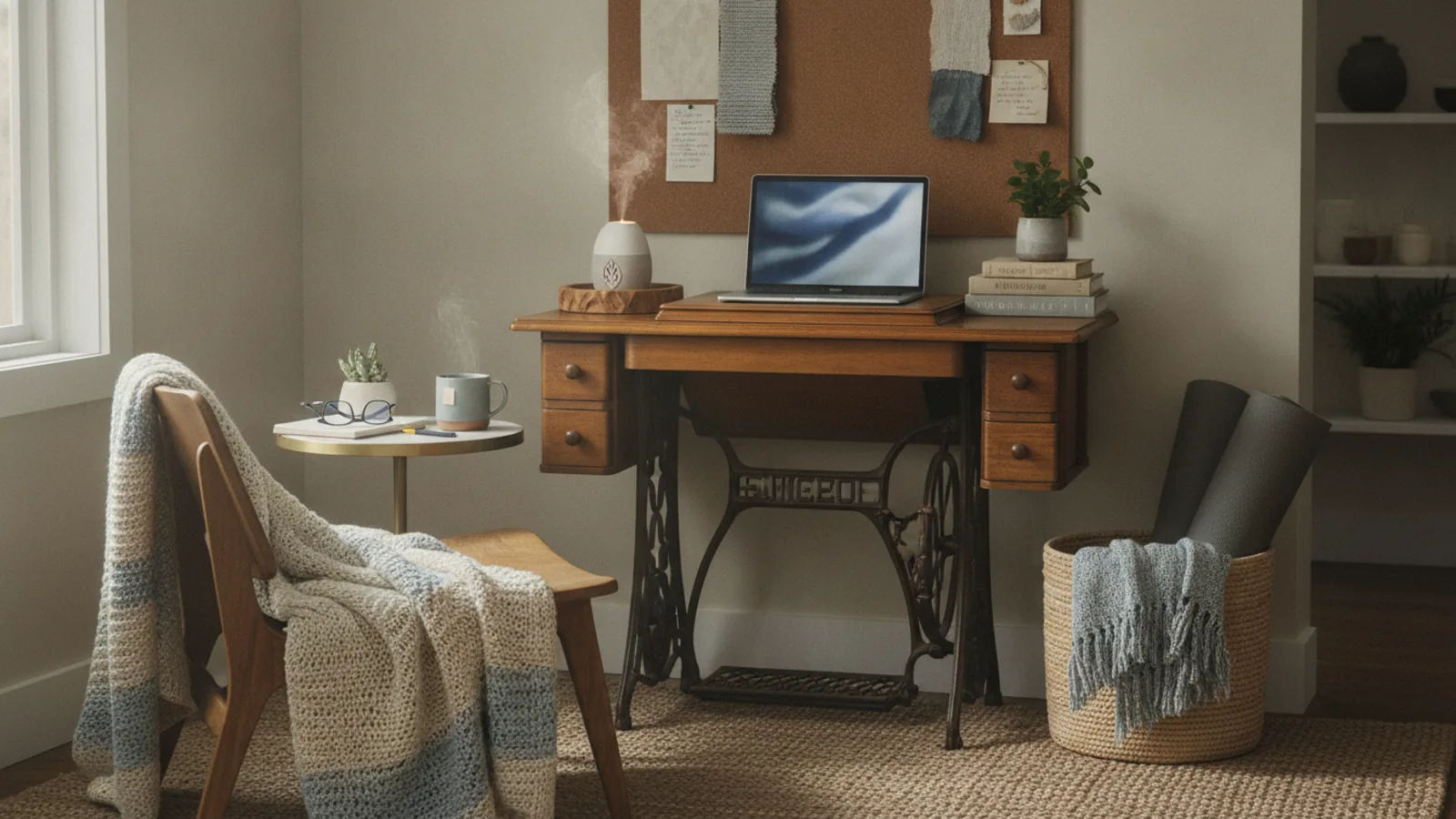
A calm home-office corner needs more than a tidy desk. This guide walks you through a practical room-by-room check of light, sound, air, posture, and the everyday objects you use, so your space supports focus and ease. You will learn to spot small problems that quietly drain your energy and fix them with simple, low-cost changes.
Fast Answer
- Start by sitting in your chosen chair for five minutes and notice what feels uncomfortable: glare, noise, drafts, or a wobbly table. That pinch point is your first fix.
- Then walk around the room with a notebook and check each zone: the desk surface, the chair height, the window light, and the floor cables. Write down one change for each area.
Before You Start
- Find a tape measure or a smartphone with a measuring app so you can check desk height, chair height, and monitor distance in centimeters.
- Gather a notepad and pen for your audit list. You will also need a cloth for dusting and a small trash bag for clutter removal.
- Turn on all the lights in the room and open the curtains or blinds. You need to see the space exactly as it will be during your work hours.
- Have a glass of water nearby as you work through the guide; staying hydrated keeps your mind clear while you assess.
Step-by-Step Instructions
Check the natural light and glare on your screen
Sit at your desk and look at your monitor screen. Turn your head to the left and right to see if there are bright windows or lamps that cause glare on the glass. If you see a reflection of a window or light, that is a problem. The best position is to have the window to your side, not in front or behind you. If you cannot move the desk, close the blinds or lower the screen brightness until the glare disappears. Also, check the top of the monitor. The top edge should be at or slightly below your eye level so you can look slightly downward. This angle reduces neck strain. Practical check: Use your hand to block the light from the window. If blocking helps, then you know you need a shade or screen filter. This step matters because glare forces your eyes to work harder and can cause headaches by mid-morning.
Balance the room's ambient light and lamps
Now look at the overall light in the room. If you have only one bright ceiling light, it might cast harsh shadows on your desk. Turn on a nearby floor lamp or a desk lamp with a warm bulb to fill in the shadows. Place the lamp so it lights your documents or keyboard, not your eyes. A good check is to hold a piece of paper at your typing position. If the paper has a shadow across it, move the lamp or add another light. Also, consider the wall color. A dark wall absorbs light, so you may need a brighter bulb. On the other hand, a white wall can reflect too much and create a glare. The practical check is to look at your hands while typing. You should see them clearly without squinting. This matters because even, indirect light reduces eye fatigue and keeps your focus steady.
Eliminate distracting noises inside and outside
Close your eyes for one minute and listen. What do you hear? A phone, a ticking clock, a heater hum, or traffic outside? Make a note of each sound. Then, turn off any device that you do not need, like a radio or an extra fan. If outside noise bothers you, use a white-noise machine or a smartphone app that plays soft rain or fan sounds. Another option is to add a small bookshelf between you and the window to absorb sound. Practical check: After you make changes, listen again for 30 seconds. You should hear a low, steady background sound rather than sudden sharp noises. This step matters because your brain keeps processing unexpected sounds in the background, even when you try to ignore them, and that steals your attention from work.
Check the air quality and temperature at your workstation
Feel the air around your desk. Is it stuffy, too warm, or too cold? Hold your hand near the floor and near the ceiling to detect drafts. A comfortable temperature for focus is between 20 and 24 degrees Celsius, but if you have a personal preference, that is fine. Also, check if the air feels dry. You can test this by noticing if your throat feels dry after sitting for an hour. If it does, place a small humidifier on the desk. If the room feels stuffy, crack a window for a few minutes or use an air purifier with a fan. The practical check is to place a thin paper towel near the vent or window opening. If the paper moves, there is a draft. If it stays still, the air is calm. This matters because stale or overly dry air can lower your energy and make you sleepy.
Set your chair and desk height for a straight spine
Adjust your chair so your feet rest flat on the floor and your knees are at a 90-degree angle. Then, check your desk height. If you can rest your forearms on the desk with your elbows at a right angle, the height is good. If your legs are bent too much or you have to raise your shoulders, change the chair height or add a footrest. If the desk is too high, you may need to raise the chair and use a footrest. If it is too low, you can prop it up on blocks or a shelf. The practical check is to sit for two minutes while typing. Your wrists should stay straight, not bent up or down. This step matters because a poor setup can lead to shoulder tension, wrist pain, and backaches that make it hard to stay calm and productive.
Organize your desk with only the essentials you use daily
Look at the items on your desk. Remove anything you have not used in the past week, such as old papers, extra pens, or a coffee mug with a broken handle. Keep only those objects you use every day: your computer, a notepad, a pen, a phone, and perhaps a small plant. For each item, ask yourself: Does this help me focus or does it add clutter? If it is just a decoration, decide if it truly relaxes you or if it is a distraction. A good system is to have a tray for papers and a cup for pens. The practical check is to take a photo of your desk. Look at the photo for ten seconds; is there anything that draws your eye away from the main work area? If yes, move it to a drawer or shelf. This matters because visual clutter sends small signals to your brain that there is unfinished work, which keeps your mind slightly tense.
Quick Reference
| Situation | Action | Why it helps |
|---|---|---|
| You see a bright reflection on your computer screen during the afternoon. | Move your monitor so the window is at a 90-degree angle, then adjust the screen brightness to match the room's light, and if needed, close the blinds. | That angle eliminates the worst glare, and matching brightness reduces eye strain. |
| Your shoulders feel tight after typing for half an hour. | Raise your chair a little so your elbows hang at a right angle, then lower your keyboard so your wrists stay straight while you type. | This brings your forearms parallel to the floor and prevents you from hunching your shoulders. |
| You keep reaching for a pen that is buried under a stack of sticky notes. | Put a small cup or a magnetic strip on the front edge of the desk and always return the pen to that spot after use. | A fixed spot removes the mental effort of searching and keeps your desk visually calm. |
Common Issues
- The room is too dark or the ceiling light flickers.: Replace the bulb with a warm, non-flickering LED model. If the flicker persists, check the lamp's wiring or replace the lamp in an affordable way.
- A nearby wall or window reflects a bright patch onto your screen.: Hang a matte poster or a fabric panel over the shiny surface, or angle your monitor slightly away from the glare source.
- Your chair makes you slouch because it is too deep or too flat.: Add a rolled-up towel or a small firm cushion behind your lower back. If the chair is too low, place a sturdy footrest under your feet.
Advanced Tips
- Add a strip of felt pads under the desk edges to reduce noise when you move your chair.
- Try using a timer to work in 25-minute blocks, then stand up and stretch for 5 minutes to keep your body alert.
- Use a small tray to hold your phone and earbuds so they do not slide around, and keep a coaster for your mug to protect the surface.
Final Checklist
- Light is even with no glare on the screen and no dark shadows on your work area.
- Sound is low and steady with no unexpected distractions from outside.
- Air feels fresh and is a comfortable temperature, not stuffy or too dry.
- Your chair and desk are adjusted so your feet are flat, knees at 90 degrees, and wrists are straight.
FAQ
What if my desk is too high for a comfortable typing position?
You have two easy fixes. First, raise your chair until your forearms are level with the desktop, then put a footrest under your feet so they are flat. If that is not possible, add sturdy blocks under the desk legs. The goal is to keep your elbows at a right angle and your wrists straight. Check your posture after a few minutes of typing.
How can I make a noisy room quieter without spending on soundproofing?
Start by softening the hard surfaces. Place a rug on the floor, hang a heavy curtain over the window, and consider adding a bookshelf filled with soft‑covered books along the wall that faces the noise. You can also use a white‑noise machine or a smartphone app that plays rain or fan sounds. These changes absorb sound and reduce echo, making the room feel calmer.
Is it better to have a plant on my desk or just a small decoration?
A small plant can be calming and also helps filter the air slightly, but choose one that needs little light and water, like a snake plant or pothos. Decorative items are fine if they do not distract you. One rule: if an object makes you smile but does not pull your attention away, it is good. If it takes your eyes away from work, move it elsewhere.